Know which doors open before the train stops.
Commuter Rail (CR) puts the conductor's door plan on every screen at once: riders' phones, in-car cabin screens and platform signs. So when a short-staffed train opens only some doors, or the plan changes mid-trip, everyone knows. It adds live trains, door-aware trip planning with step-free guidance, and a collectible card game that rewards riding.
Works on any phone browser. Live MBTA data. No app store needed.
- 143stations with door rules
- 13lines (19 with branches)
- 61mini-high platforms: step-free at one door
- 22low platforms: steps only
- 70single-platform stations
- 655locomotives and cars to collect
The problem
On the Commuter Rail, the doors are a guessing game.
Every station is different, and the only person who knows the plan is the conductor. Riders find out when the train stops, and for anyone who needs step-free access, that's too late.
Short-staffed trains: not every door opens
Trains don't always run with a full crew. When they're short-staffed, only some cars may open their doors, so a car that opened yesterday might stay shut today, and the plan can change on the fly during the trip. Riders usually only find out when their door doesn't open.
The step-free door keeps moving
61 stations have a mini-high: level boarding at a single door. Which door that is changes from station to station, so the step-free door where you get on may not be the one where you get off. 22 stations have no level boarding at all.
Running for the door
When riders wait at the wrong spot, they walk or run along the platform to an open door after the train pulls in, and the train waits for them. Those seconds add up to delays.
Walking the train
Riders end up walking through moving cars to reach a door that opens, often while the train is braking.
Left or right?
Doors open on one side only, and at some stations it depends on which track the train is sent to.
Short platforms
At some stops only the first few cars reach the platform. Ride in the wrong car and your doors stay shut.
How it works
One door plan. Every screen. In real time.
Station rules become a default plan for each stop. The conductor adjusts it, and every display updates in real time.
1 · Station rules
Door side, platform type, and the step-free doors for each station and direction, generated from MBTA data for all 143 stations.
2 · Conductor's plan
A trip plan set before departure (e.g. only cars 1–4 open on a short-staffed train), plus live changes at any stop when staffing changes. Only allowlisted staff can change it.
3 · Shared live state → every screen
- 📱 Riders' phones
- 🖥️ Cabin screens, both ends of every car
- 🚏 Platform boarding signs
- 💡 Door lights (ESP32 prototype)
Advisory only. CR never controls doors. Conductors open doors manually, exactly as they do today; CR tells everyone what to expect.
For riders
Everything about your trip, down to the door.
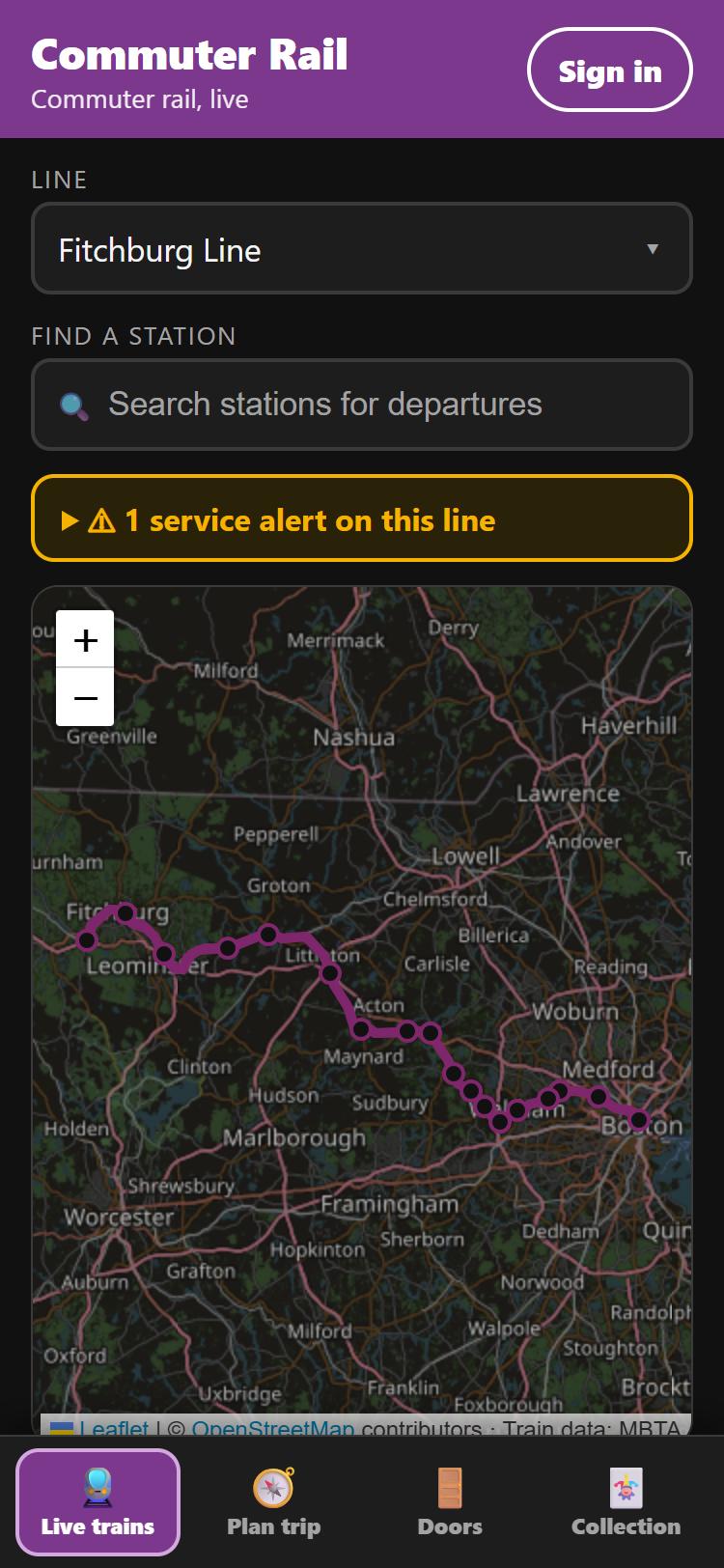
Live trains on a map
Every train on any of the 13 lines, updated every 15 seconds, with live and scheduled trips clearly labelled.
- Tap a train for its remaining stops, times and tracks
- Search any of the 143 stations for departures
- Inbound/outbound tabs and service alerts
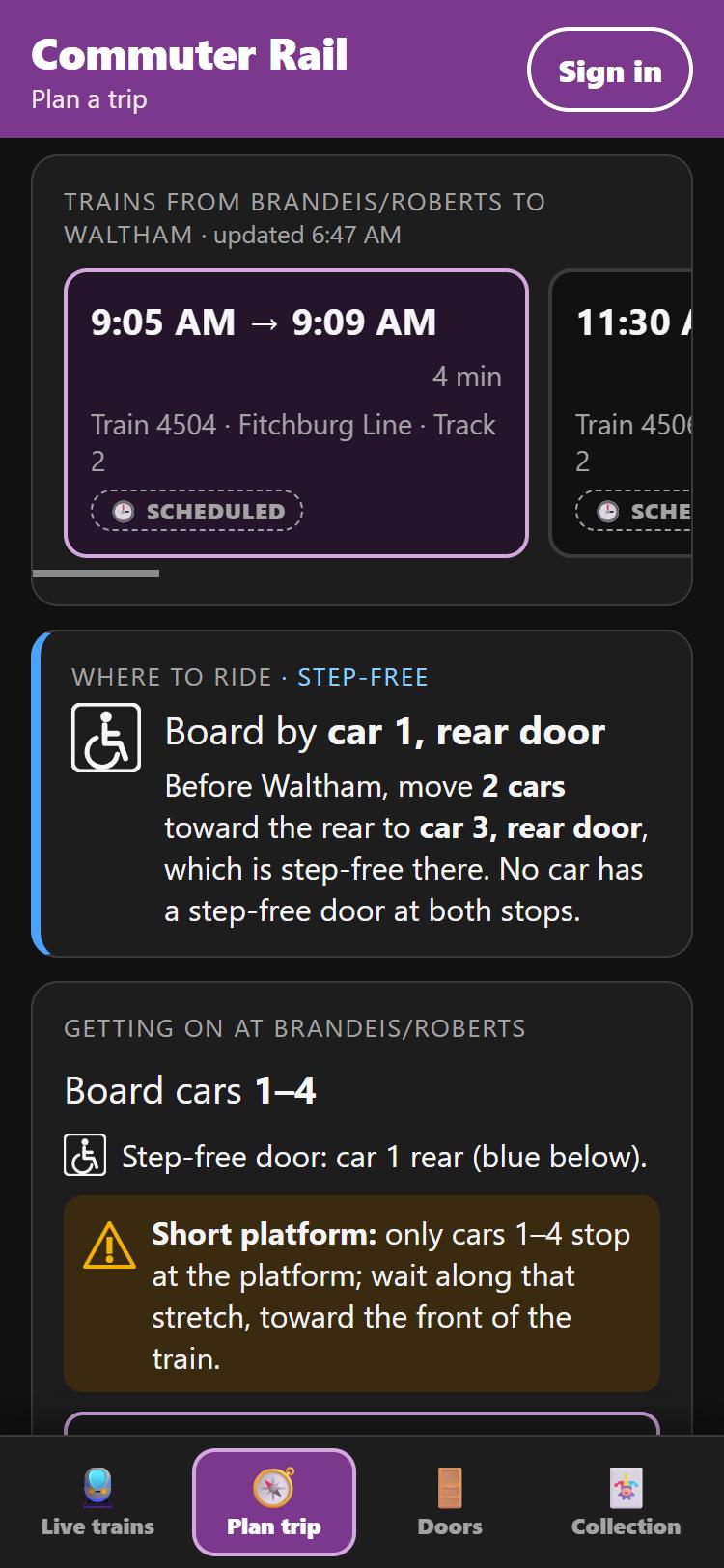
Plan a trip, and know where to sit
Direct trains between any two stations, with live delays. CR then compares the door plans at both ends and tells you which car to ride.
- Where to ride: "Ride in cars 1–4: their doors open at both stops"
- Step-free mode: board and get off by the level doors, even when they're in different cars
- Warnings for short platforms and inaccessible stations
- Sign in to save favourite trips on every device
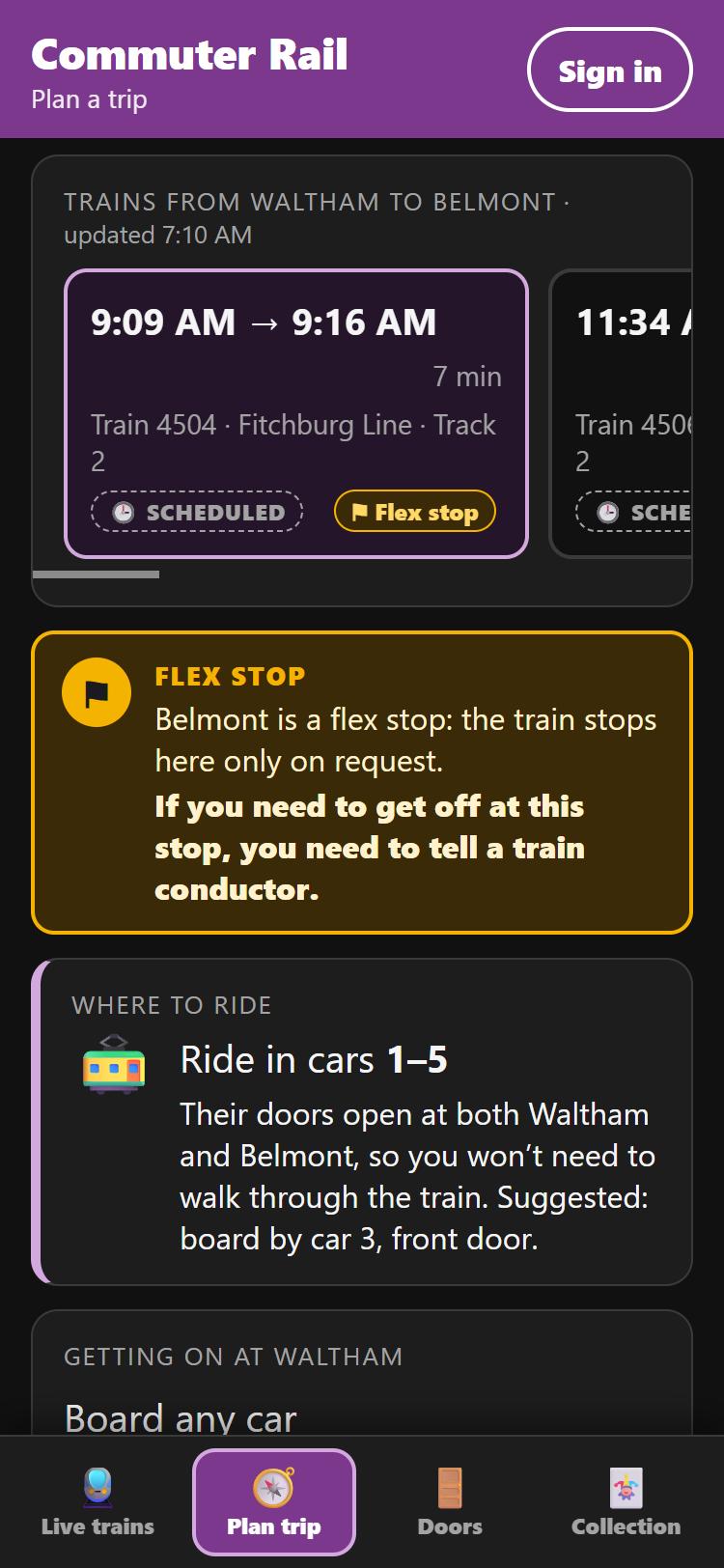
Flex stops: never ride past your stop
At 25 stations, many trains stop only on request (the MBTA calls them flag stops). CR reads which trains those are from the MBTA timetable and warns you before it matters.
- An alert box in the app: "If you need to get off at this stop, you need to tell a train conductor."
- Exact for your train: only the trains that stop on request are flagged
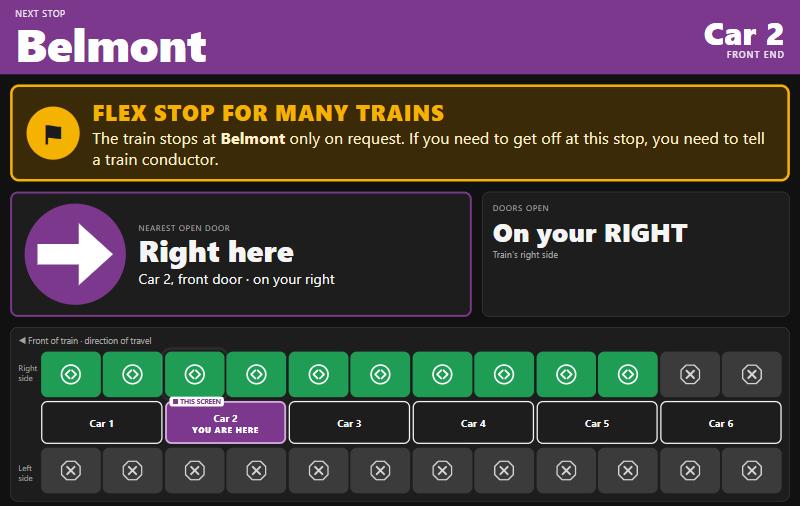
- A large banner and a spoken announcement on the cabin screens as the train approaches
- "⚑ Flex stop" badges in every stop list
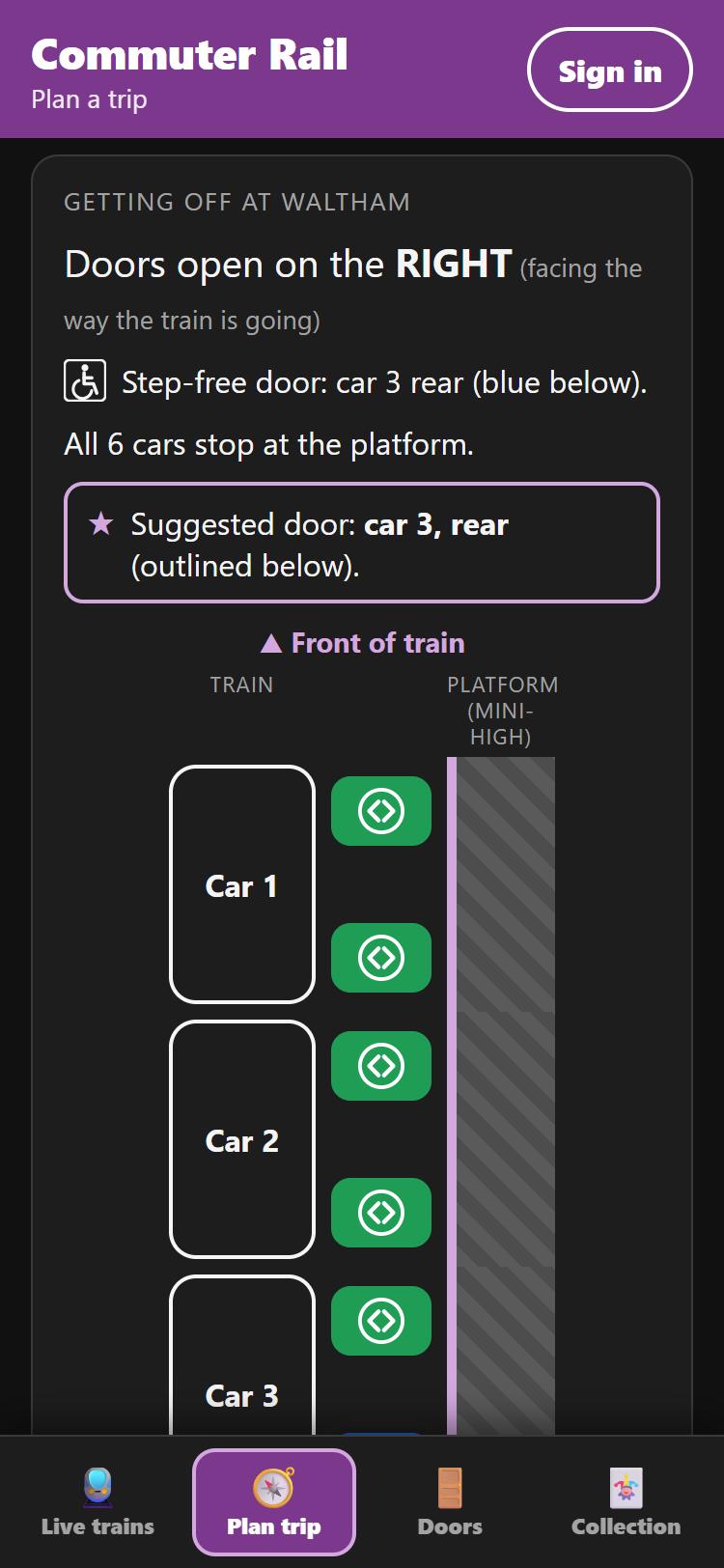
Getting on, getting off
A platform diagram for both ends of your trip: which side opens, which cars reach the platform, where the step-free door is, and the door we suggest.
- The conductor's live plan when your train is the one being tracked, including cars kept closed on a short-staffed trip
- Each line's own tracks at shared stations like Back Bay
- Shape, text and colour for every status, never colour alone
For crew and operations
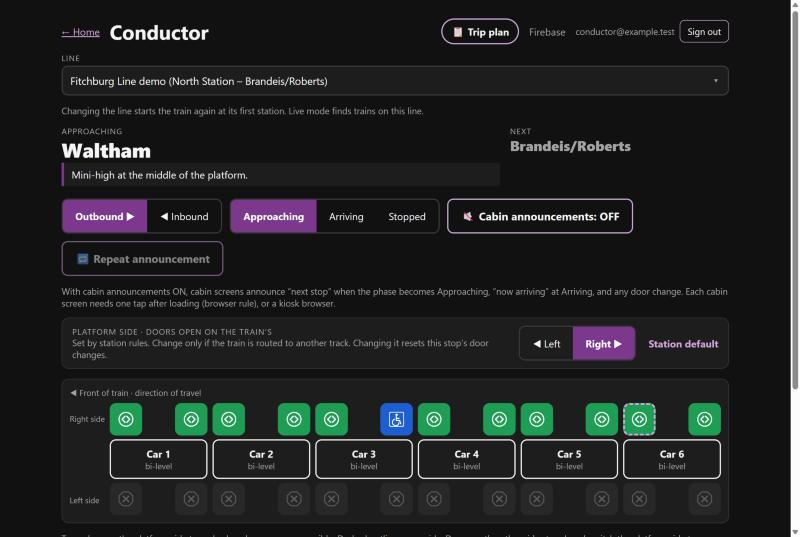
Set the plan once. Change it with a tap.
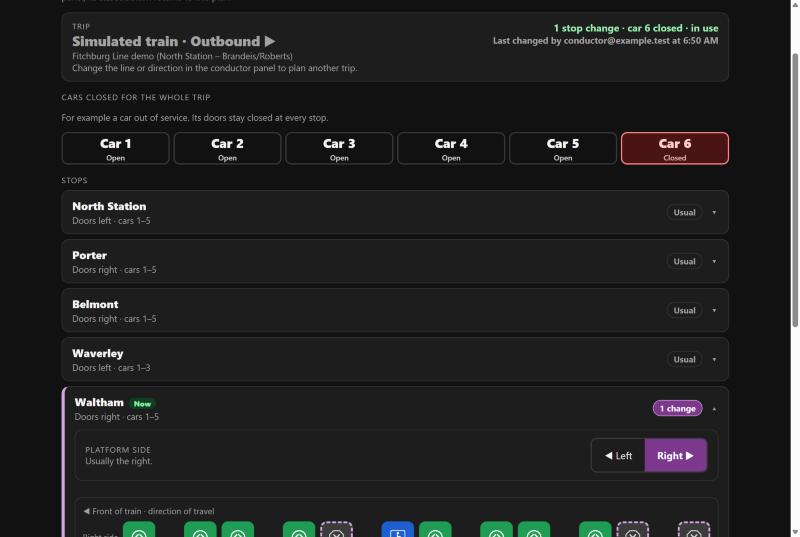
Conductor panel and trip plan
Before departure, the conductor sets the whole trip: cars closed for the trip (say the train is short a crew member and only some cars can open), and changes at individual stops. As the train arrives at each stop, the plan applies itself. If staffing changes mid-trip, any door can be changed with a tap, and every screen updates.
- Close whole cars for a short-staffed trip, and reopen them on the fly
- Every line and branch, with a built-in simulator and live MBTA tracking
- Platform side for track-dependent stations like North Station
- "Reset to trip plan" undoes on-the-fly changes
- Staff sign-in, enforced by database security rules
Screens in the car and on the platform
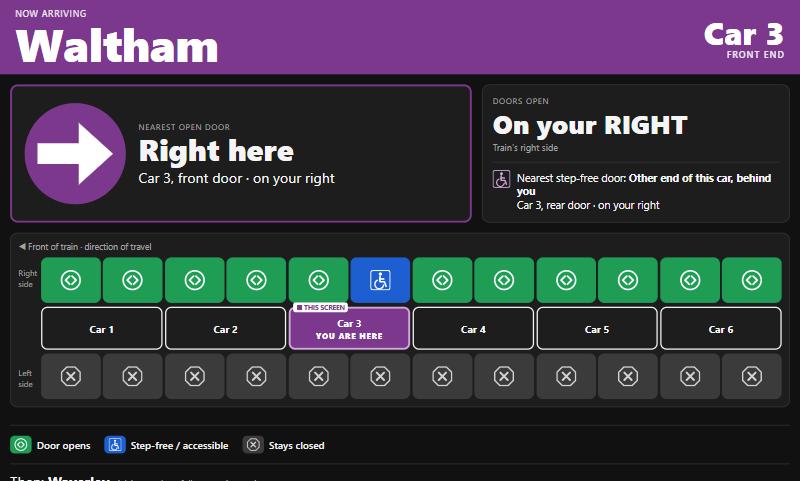
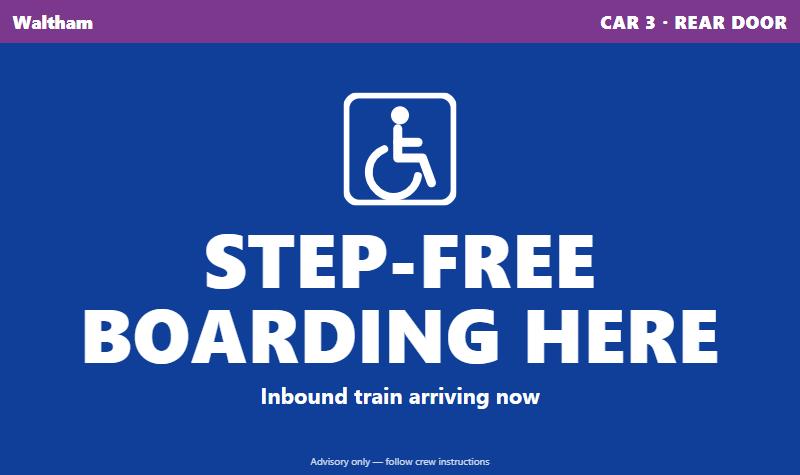
Cabin screens at both ends of every car point to the nearest open door, flipped correctly for riders facing backwards. Signs along the platform tell people where to stand before the train pulls in.
- BOARD HERE, STEP-FREE BOARDING HERE, NO DOOR HERE (with an arrow), or TRAIN AT ANOTHER PLATFORM
- A flex stop banner before request-only stops: tell the conductor to get off
- Spoken announcements for the next stop and door changes
- No sign-in needed for displays; they only read
Gotta ride 'em all
Collect the trains you ride.
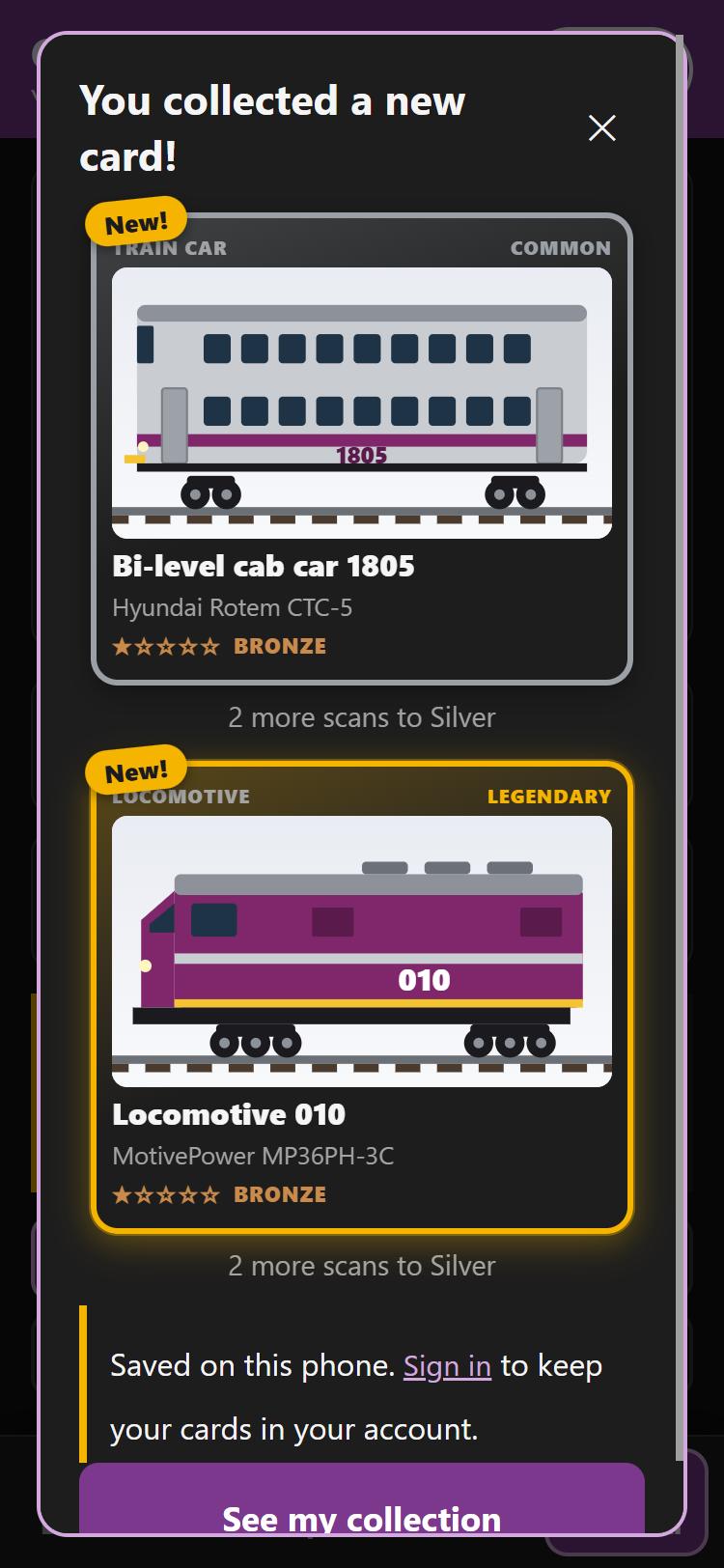
Tap your phone on the CR tag in a car's doorway and you collect that car and the locomotive pulling it. Tap the tag at a station entrance to collect the station. It turns regular riding into a game, and teaches riders the fleet along the way.
Real fleet, real rarity
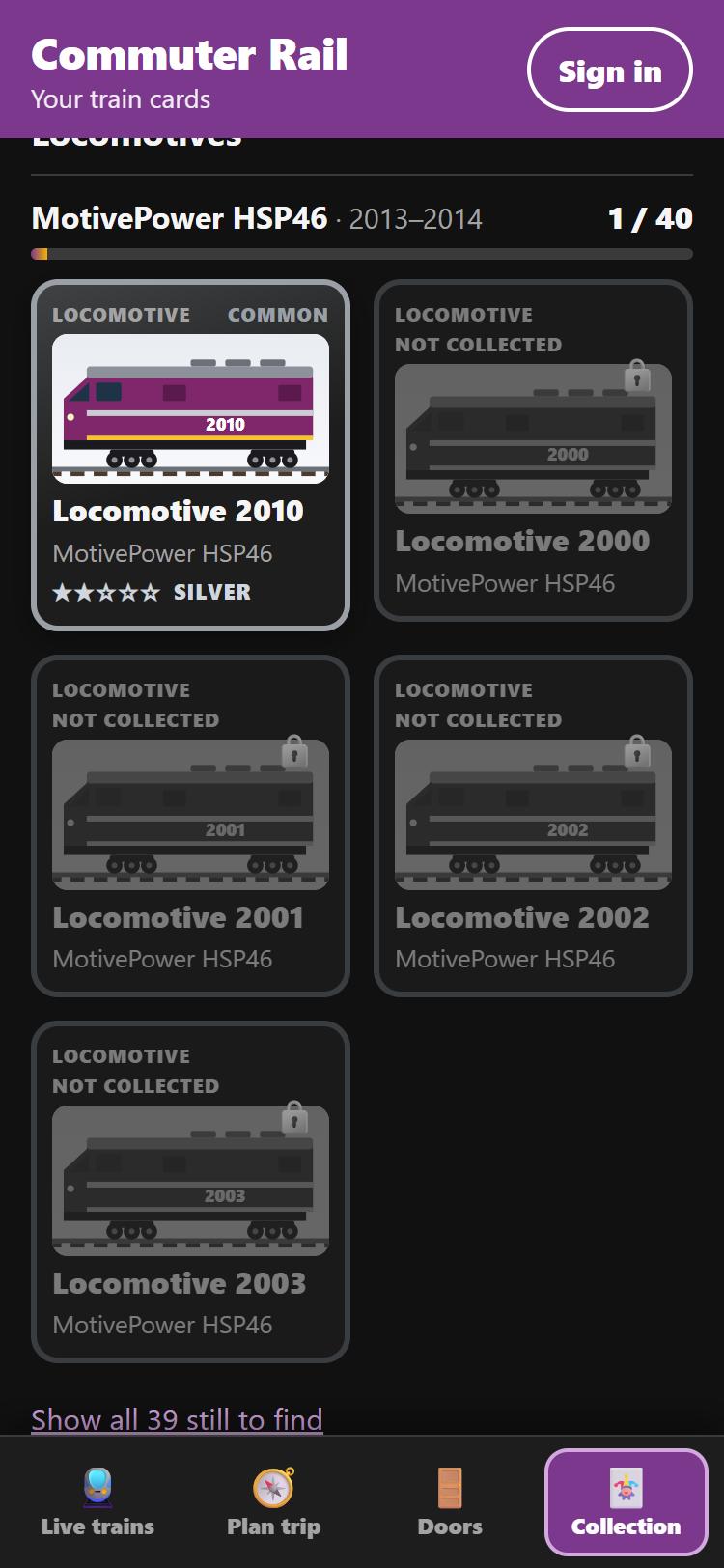
Every current locomotive and coach, by its real unit number, with an original illustration. Rarity comes from how many of each model exist.
- Missing cards appear grayed out, so you can see what's left to find
- Retired equipment (F40PH, FP10, Budd RDC…) earned at special events
- Cards are kept in your account, or on your phone until you sign in
Scan again to upgrade
Every repeat ride levels your card up through five tiers, so a daily commute keeps paying off.
Stations worth getting off at
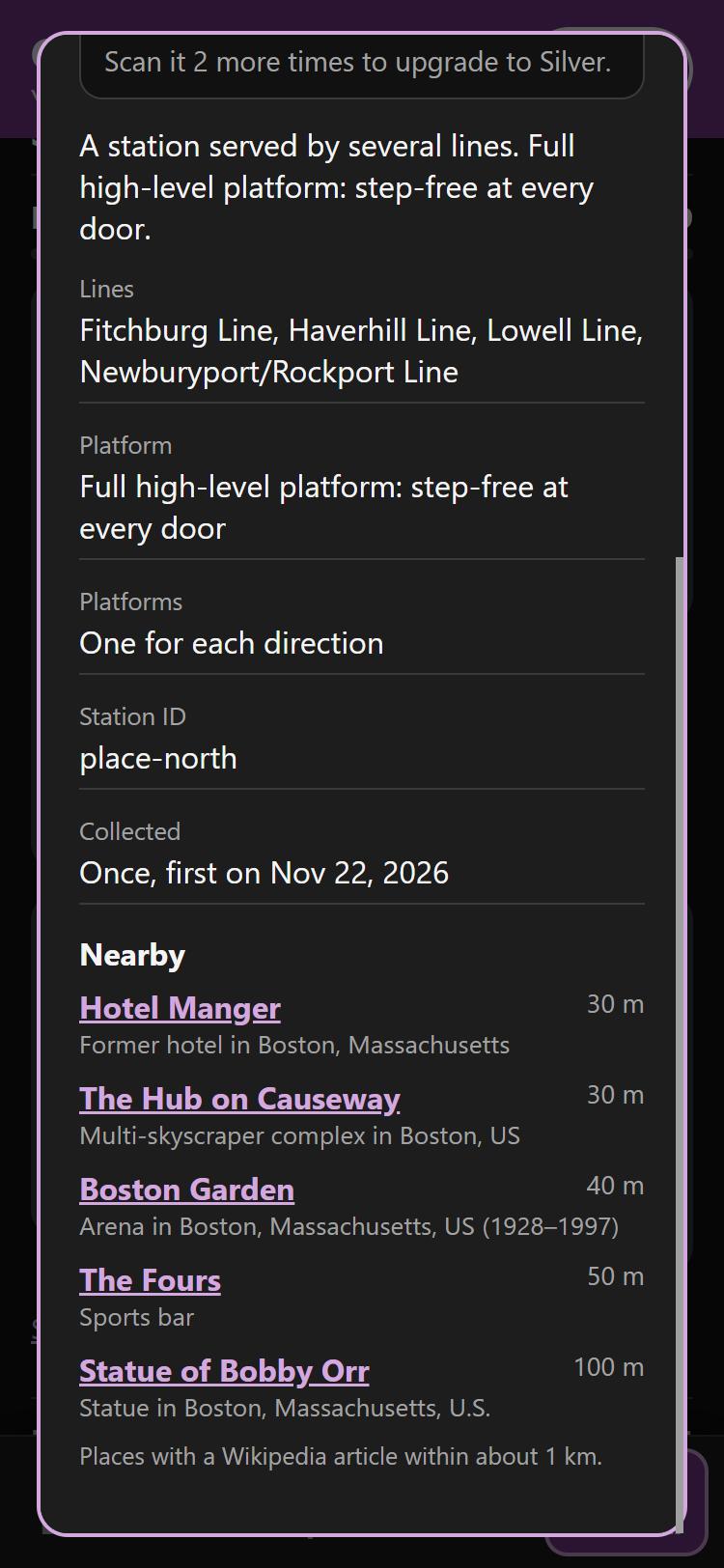
Station cards list notable places within walking distance (486 of them across 128 stations), each linked to Wikipedia.
Built with
Real data, real-time, tested.
Stack
React 18TypeScriptViteLeafletWeb NFC
- Two separate sites: the rider app and the staff ops console
- Phone-first: runs in any phone browser
Firebase
Realtime DatabaseAuthHosting
- Every screen subscribes to one shared train state
- Security rules: staff-only writes, private rider data, 32 rule checks on emulators
Data
MBTA V3 APIOpenStreetMapWikipedia
- Vehicles, predictions, schedules, platforms and accessibility from the MBTA
- 142 unit tests for door logic, trip planning, cards and tiers
What's real, and what's estimated
From real data
- Trains, times, tracks, delays and alerts (MBTA, live)
- Which track each direction uses, and its platform type (high, mini-high or low)
- Door side from platform positions, at about half the stations
- Fleet models, builders, years and number series
Estimated (not published)
- Platform lengths (all assumed to fit 6 cars, except the demo line's hand-entered stations)
- Which door lines up with each mini-high
- Door side where the MBTA gives both platforms the same location
Ride smarter. Collect them all.
Open the rider app on your phone, or explore the ops console that drives every screen.